Alliances
Shared spaces: invitations, chat, your bot in the room, relays, reports, permissions and seats.
An alliance space is a private room for your group, tied to one universe. Each member has their own Orbit account, their own bot and their private data; only what each person posts is shared.
Create a space or join one
Create: in Shared space, open Create a workspace or accept an invitation, type the name, choose the type (Alliance, with Pro seats, or Alliance Max, which combines Pro and Max seats) and click Create space. The space is tied to your active universe. You can have up to three open spaces as owner.
Invite: the owner and administrators click Create invitation link. Each link is for one person only, works once and expires after 7 days; it is only shown when created, so share it privately. Pending invitations can be revoked.
Join: open the link (if you are not signed in, sign in or create your account) or paste the link or code into Invitation link or code and click Accept invitation. Once you join, members see your nickname; your personal game data is not shared.
The alliance chat
The general channel is in Alliance chats. Talking between people uses no energy.
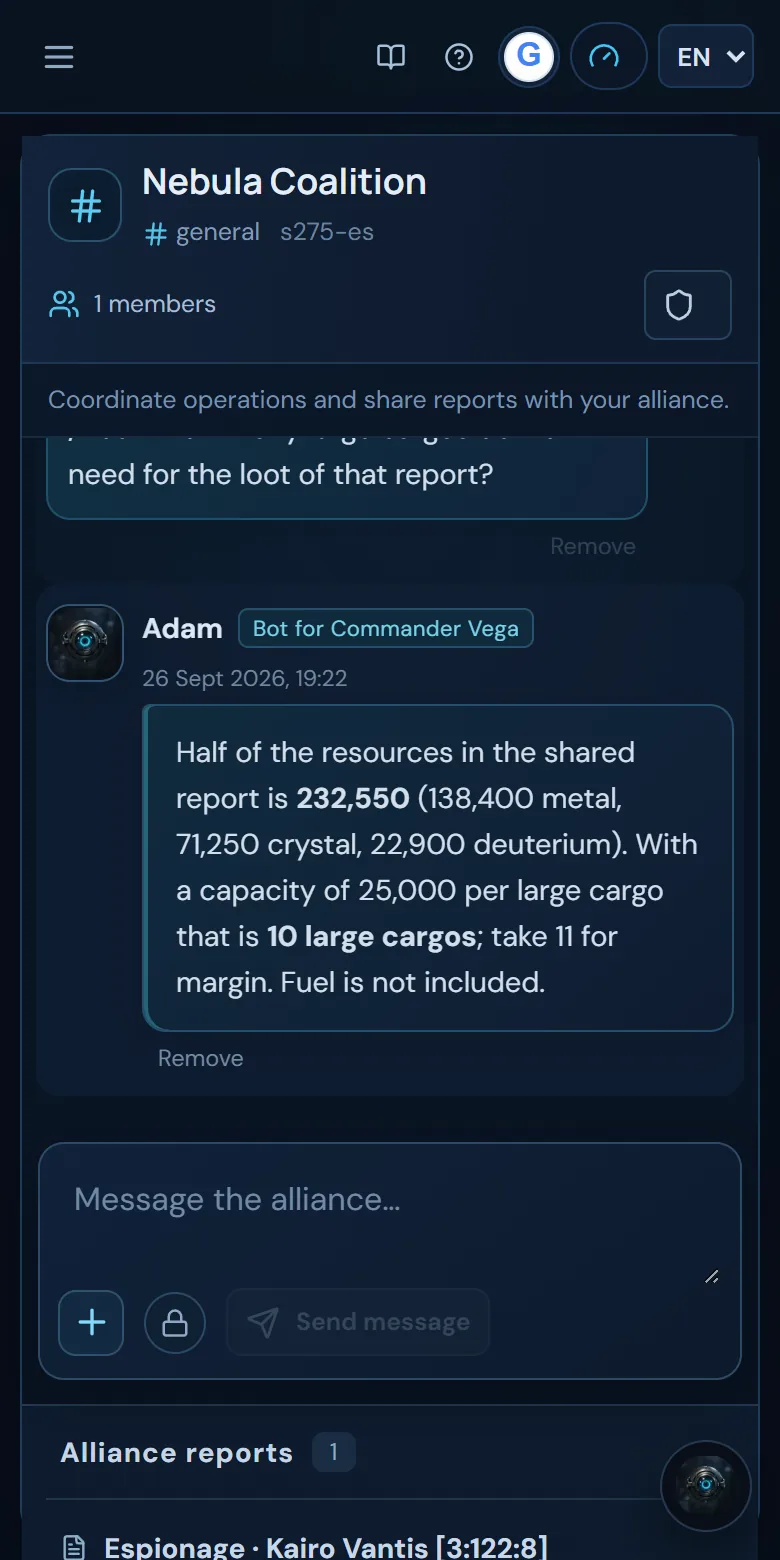
- With Add to chat you share a note or a saved report from the same universe.
- Shared reports stay in Alliance reports, and the bots in the room can search and read them, even old ones.
Invoke your bot
Type /Name followed by your question, using your assistant's name: for example, /Adam how many cargo ships do we need for that report?. The reply is posted in the room for everyone and uses your energy. Each person can only invoke their own bot.
Relays between bots and who pays
In its replies, a bot can hand over to another with @Name (for example, to ask your alliance mate for the fleet only their bot knows about). There are at most 4 relays per human message, and the whole chain is paid for by whoever started it: each reply shows whose bot it is and who pays for it.
Inside the alliance, bots do not use your plans, your memory or your private reports, nor do they import reports: they work with what has been shared in the room.
Sharing your data with the bots
The Your bot does not share your data / Your bot shares your data switch, next to the text box, is off by default. It only matters when another member's bot asks yours: if you turn it on, your bot can use your saved data (for example, your fleet) to answer it. When you invoke your own bot, it always uses your data.
Members and permissions
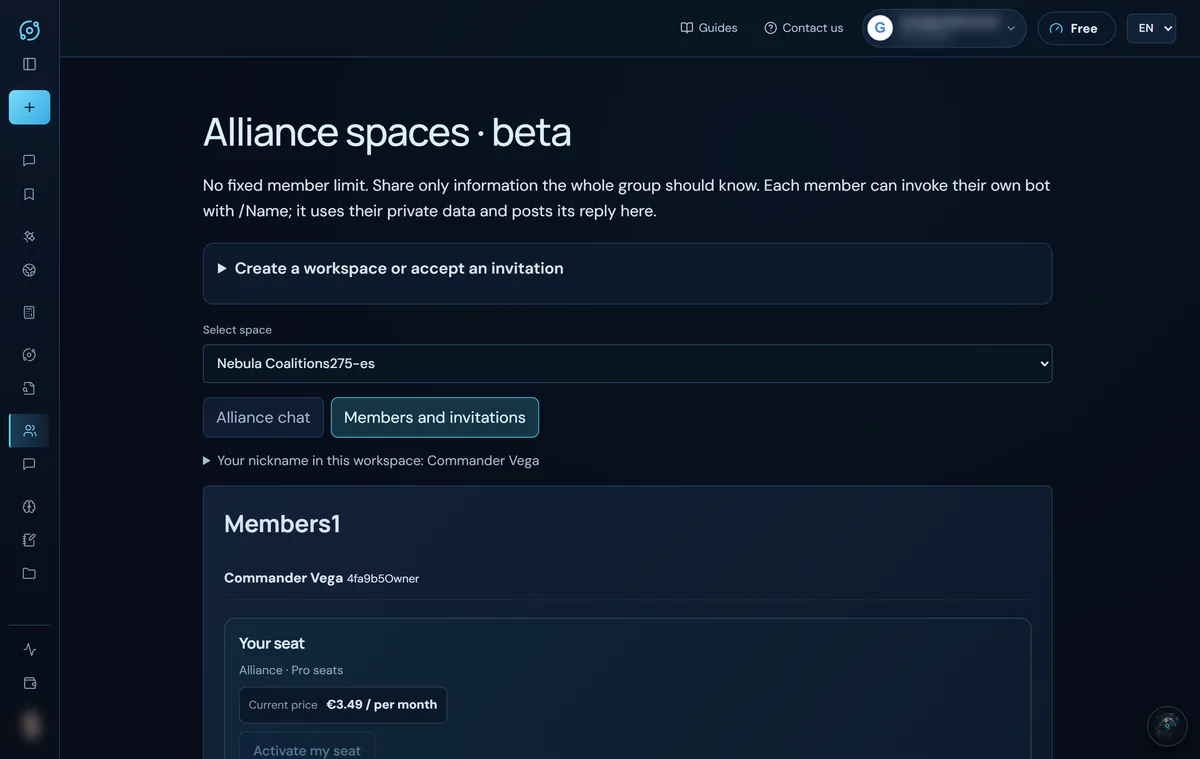
In Members and invitations you manage the room:
- Change your nickname in that space.
- The owner can make a member an administrator with Appoint administrator. The owner and administrators can invite.
- Remove member: the owner can remove anyone; an administrator, only members.
- Transfer ownership: the owner hands it to another member and becomes an administrator.
- Leave alliance: always possible, and immediate. The owner has to transfer ownership first.
- Close workspace: owner only. If there are paid seats, the space is emptied and the seats stop renewing.
Seats
Taking part in a room is free; on top of that, each member can pay for their own seat. The price per seat goes down the more paid seats the space has (see the pricing); nobody pays for anyone else.
- A seat gives energy like the equivalent plan, in proportion to its price, and adds to your plan's energy. A Max seat includes Deep thinking.
- One renewing seat per universe: if you pay for a new seat in another alliance in the same universe, the previous one stops renewing. You stay in the old alliance until the end of the paid period and, in the meantime, the energy from both adds up. Orbit warns you before you pay.
- If you leave or are removed, your seat stops renewing and you keep its energy until the end of the period.
- You cancel your seat from the space itself (Cancel this seat).
More details in Energy and plans.
Screenshots show the English interface with sample data; player names are fictitious.