Calculators
Battle and missile simulator, expeditions, flight and trade: what each one needs, where it gets the data and examples.
The Calculators section brings together four tools that calculate in your browser: they don't call the AI, use no energy and show their assumptions. Open a card with Open calculator and go back with All calculators.
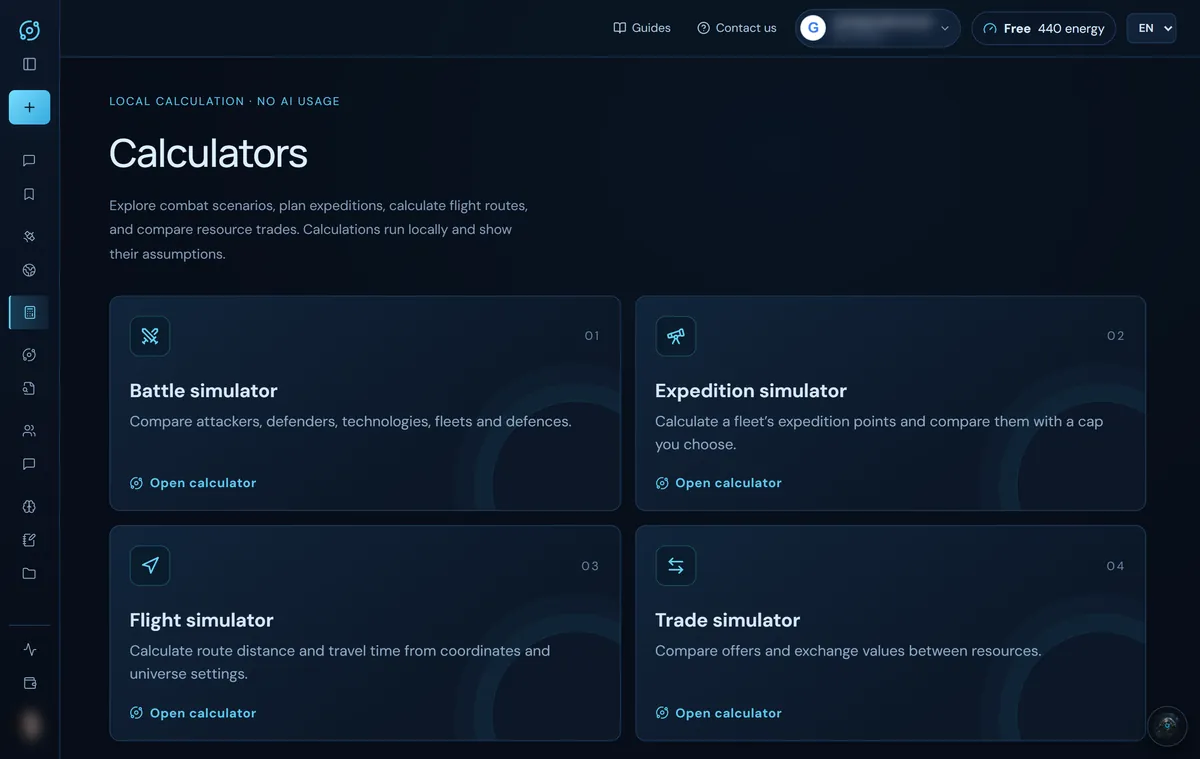
Most of them have a button to save the result as a plan in Saved plans (that completes step 05 of the practical guide).
Battle simulator
What it is for: estimating how a battle ends before you send the fleet.
What it needs and where it gets it
- Attacker: in Load saved data from you pick an origin from your Empire (for example
Commander · s275-es · Planet [3:127:8]) and its ships and technologies are loaded; if there is no saved setup, you type them in. - Defender: the ships and defences from the espionage report, and their technologies.
- Saved report: on each side you can pick a report from your Espionage reports and click Load into this side. Anything the report does not show stays unknown.
- Combat technologies: weapons, shields and armour for each side.
- Units: the count of each ship or defence. A field showing ? is unknown: fill it in or click Set blank values to zero.
- Optional: each unit's base attack, shield and hull, Rapid-fire overrides (JSON) for universe modifiers, Engineer active on the defender, and up to six Attack waves (surviving ships and repaired defences carry into the next one; Copy wave 1 repeats the fleet).
- Simulations (1–5,000): how many times the battle is repeated.
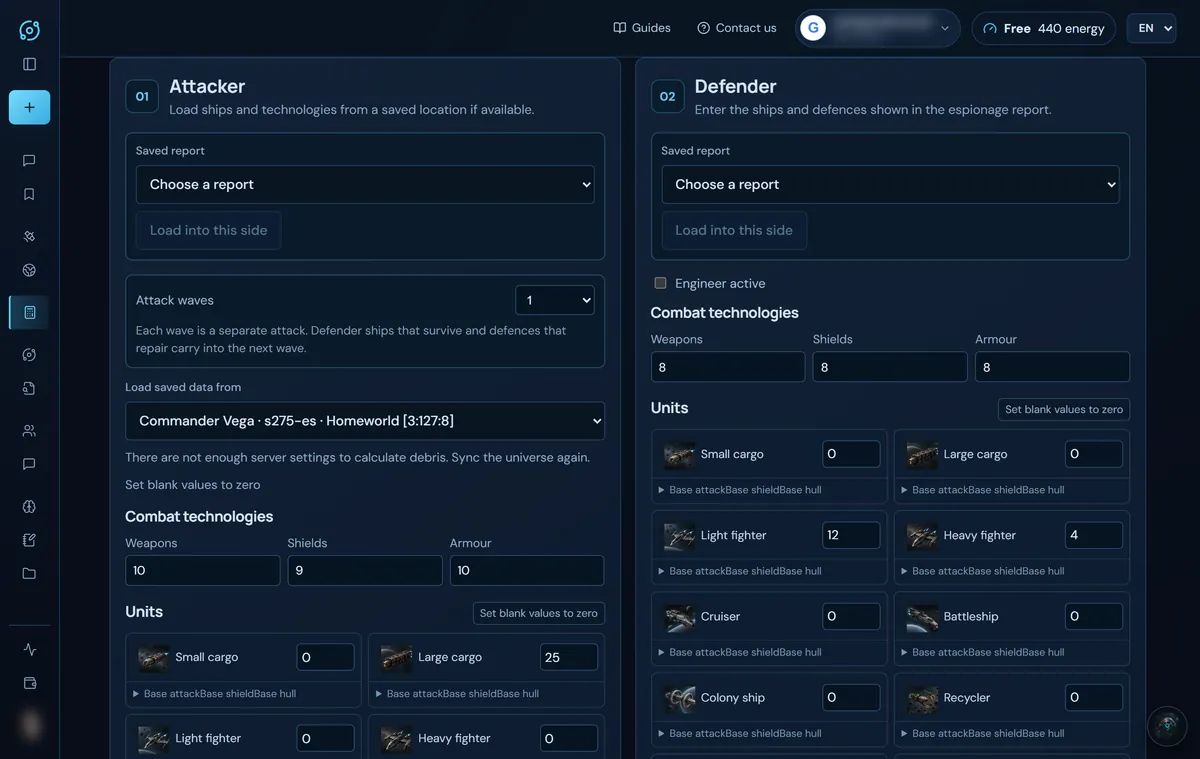
Example: 60 cruisers and 25 large cargos (weapons 10, shields 9, armour 10) against 12 light fighters, 4 heavy fighters, 40 rocket launchers, 10 light lasers and 2 heavy lasers (technologies 8). Click Simulate battle:
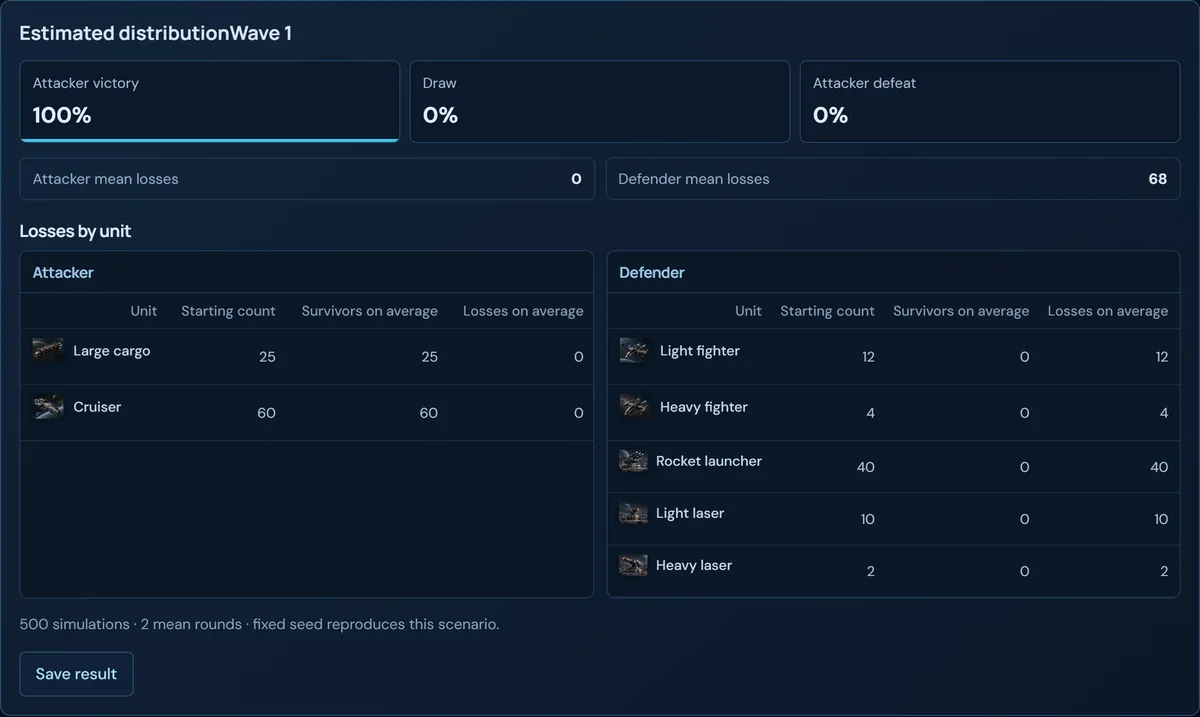
- Estimated distribution: chance of attacker victory, draw and defeat.
- Each side's mean losses and losses by unit (starting count, survivors and losses on average; for the defender, repaired defences too).
- Expected debris field if your dossier includes the server settings (if not, it says so and asks you to resynchronise).
- The seed is fixed: the same scenario always gives the same result. Save result sends it to your plans.
It is a Monte Carlo estimate with the classic rapid-fire matrix: it does not model ACS, lifeforms, special modifiers or officers. Joint attacks (ACS) and loot and balance are calculated by the chat assistant.
Interplanetary missiles
On the battle simulator's IPM missiles tab you calculate a missile salvo:
- Route and universe: origin and target galaxy and system, target type (planet or moon), Impulse Drive level, universe fleet speed, systems per galaxy and whether the universe is circular. At the top right you see the distance against the range (
5 × impulse − 1systems) and whether the target is in range. - Attack and technologies: missiles launched, attacker weapons, defender armour, anti-ballistic missiles on the planet and stored interplanetary missiles; and a primary target or the default order.
- Target defences: the count of each defence.
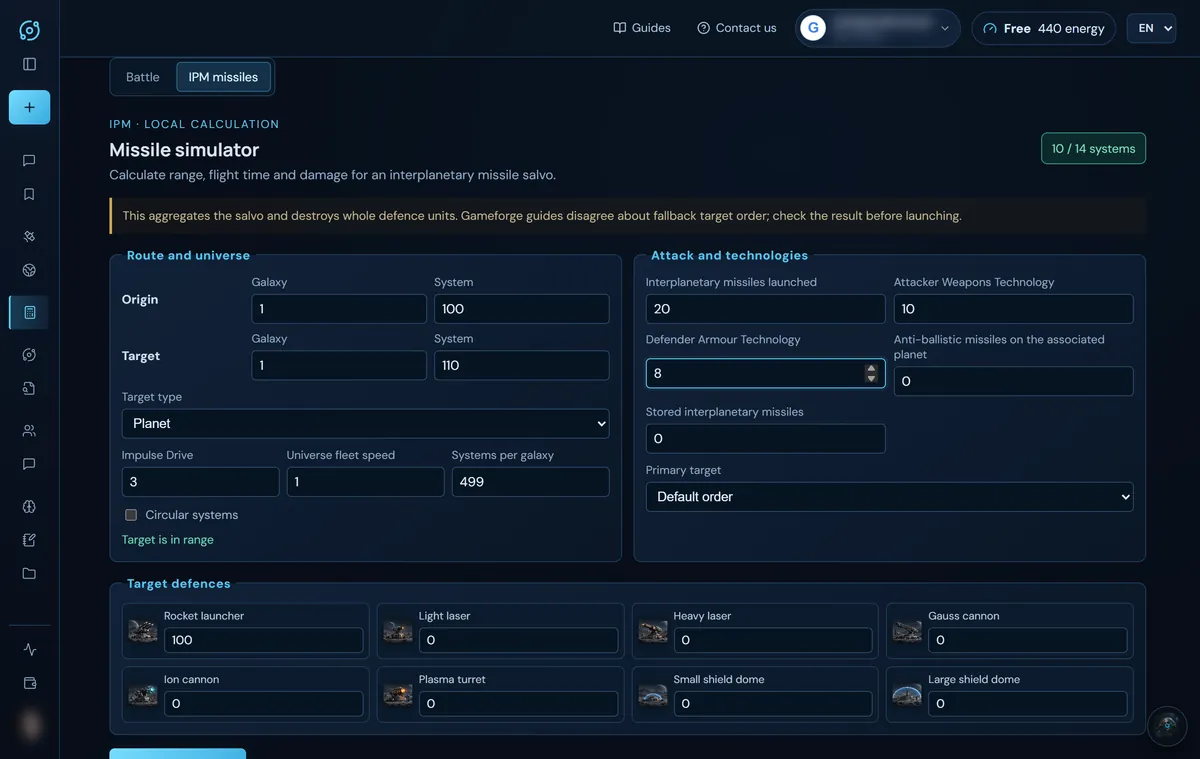
Calculate attack gives the flight time, intercepted missiles, total and per-missile damage, which defences fall and which remain, remaining anti-ballistic missiles and the cost of the missiles. For example, 20 missiles with weapons 10 against 100 rocket launchers 10 systems away:
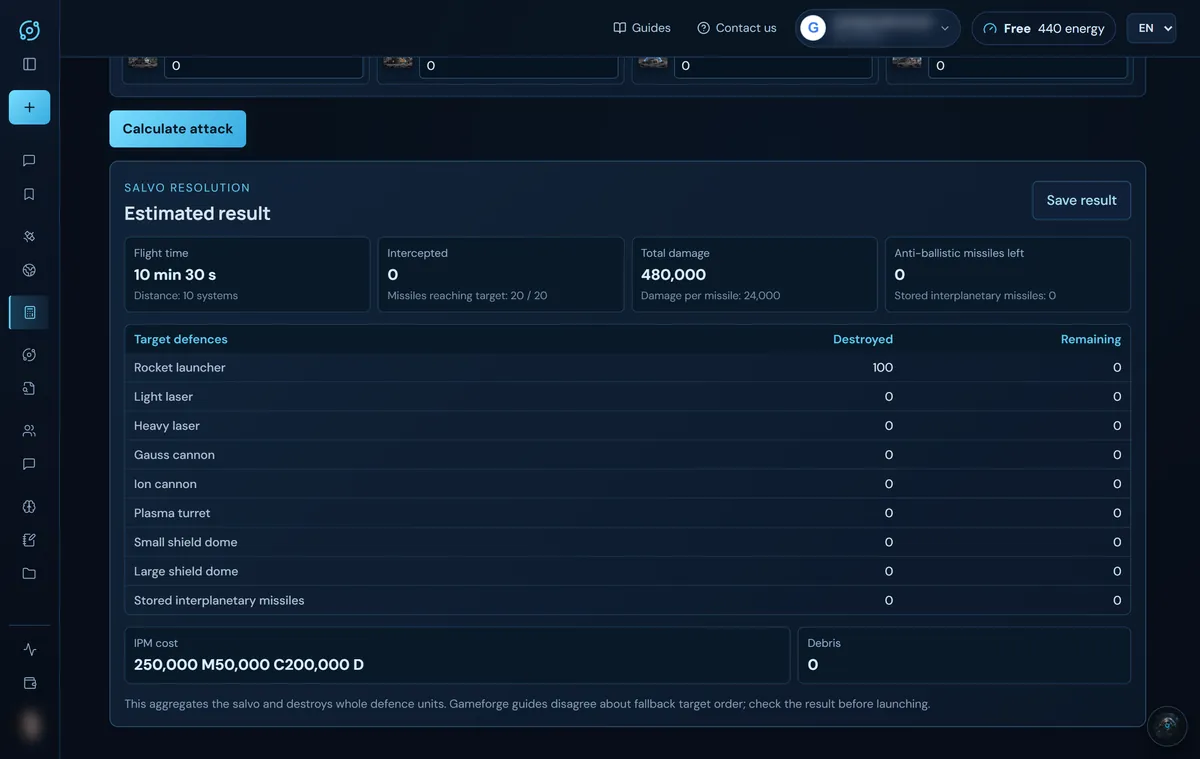
Anti-ballistic missiles on the planet also protect its moon. Guides disagree about the fallback target order: check the figures before launching.
Flight simulator
What it is for: knowing how long a fleet takes between two coordinates, one way and round trip.
What it needs
- Origin and destination (galaxy, system, position).
- The count of each ship.
- Combustion drive, impulse drive, hyperspace drive and hyperspace technology levels.
- Player class, alliance class and mission type (transport, attack, hold position, expedition, moon destruction), with the speed percentage and whether the destination is an alliance member.
- The universe speeds (peaceful, war and holding): the one that matches the mission is used.
- Optional: Observed arrival to work out the normal return, and lifeform research by planet in JSON with each species' bonuses.
Where it gets it: Import Empire HTML reads your drives and the lifeform research per planet, and in Fleet origin you pick a planet to load its ships and coordinates. The box “I included active flight-speed research…” confirms the lifeform data is complete (it needs at least one planet row); if you leave it unticked, the result is shown as an estimate with pending data.
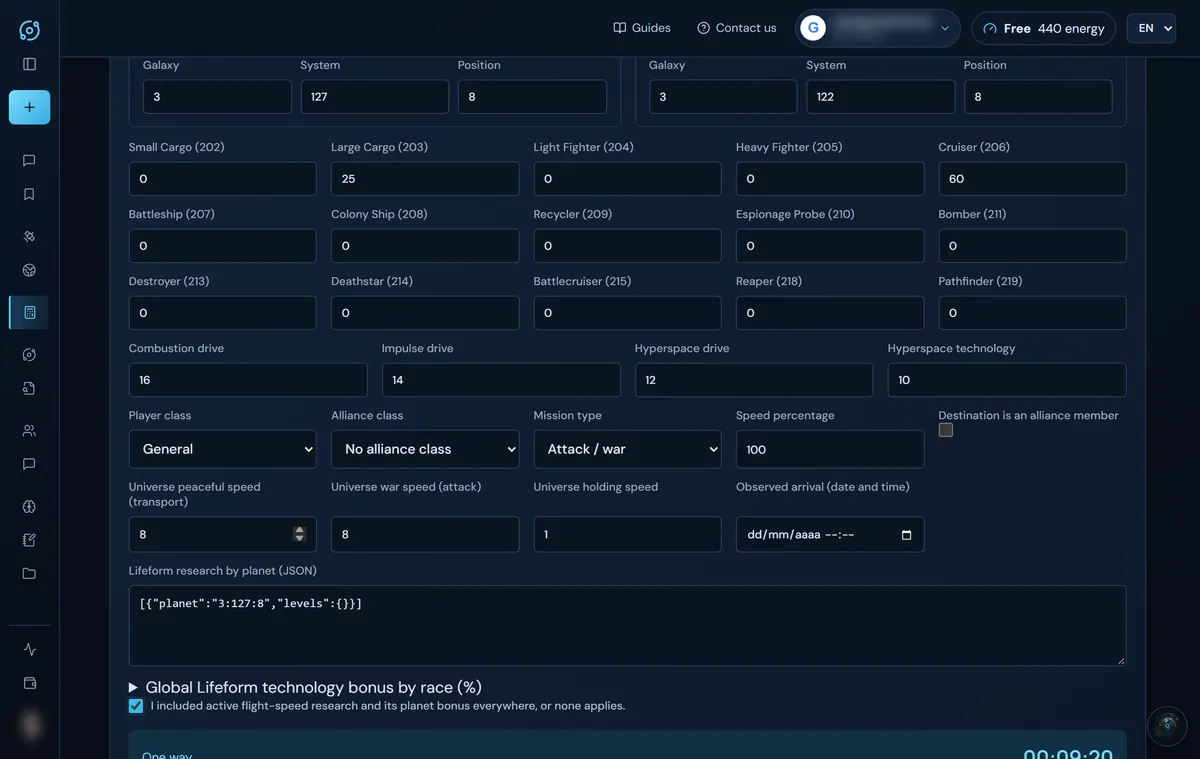
Example: from 3:127:8 to 3:122:8 with 60 cruisers and 25 large cargos, drives 16/14/12/10, General class, attack at 100% and war speed 8:
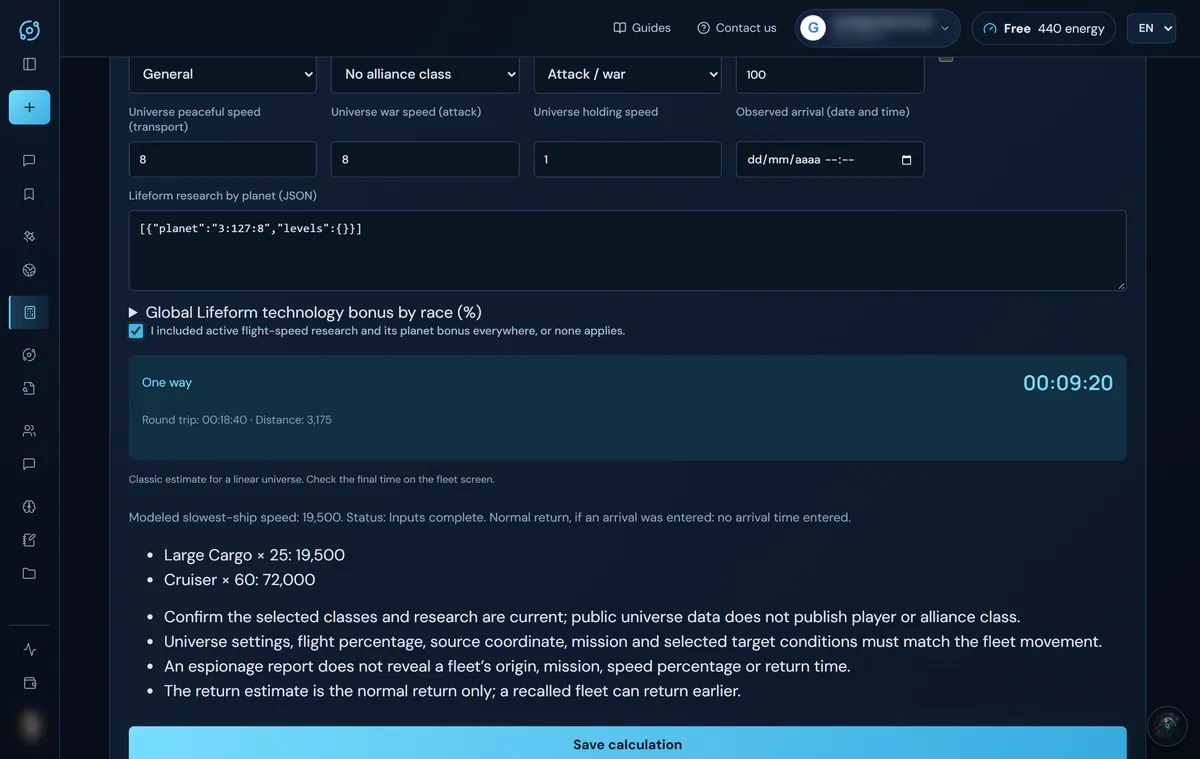
The result gives the one-way time, the round trip, the distance, the modelled speed of each ship type (the slowest one sets the pace) and a list of assumptions worth checking. Always check the final time on the game's fleet screen. Save calculation moves it to your plans.
Expedition simulator
What it is for: checking whether your fleet makes the most of the universe's expedition point ceiling.
- The fleet's total metal cost and total crystal cost (its structural value) and the universe EP ceiling you have checked.
- Optional: total effective capacity and cargo target.
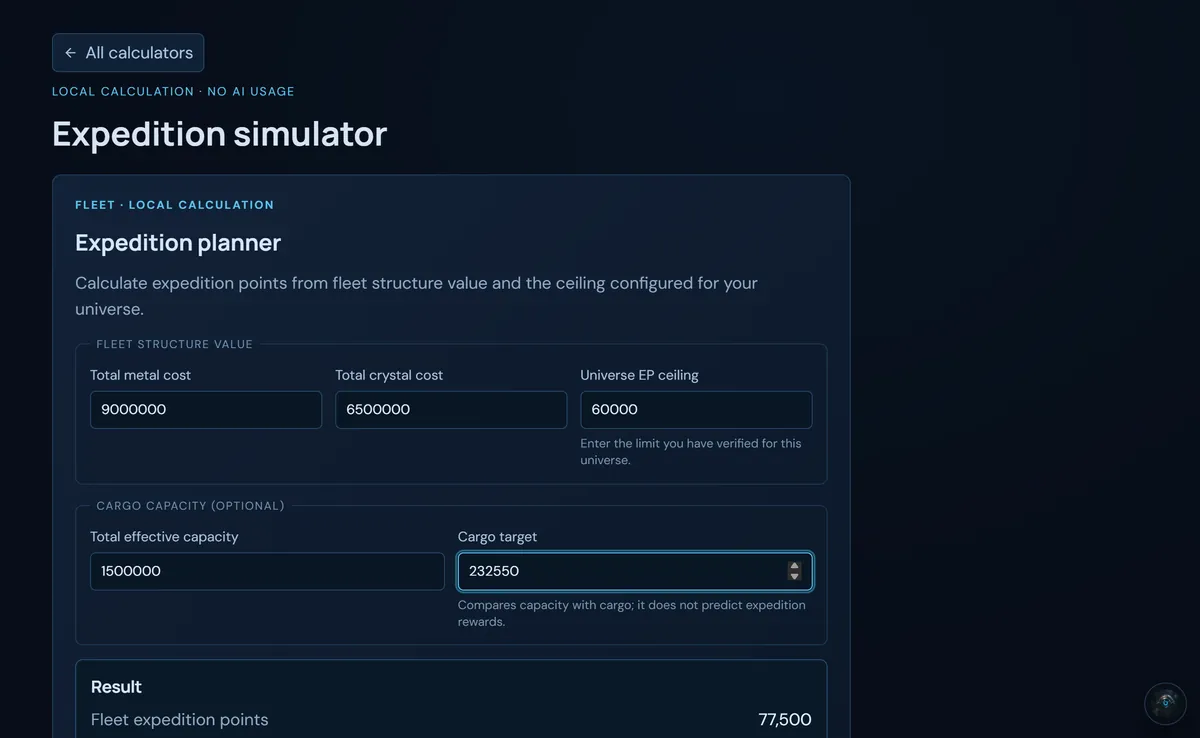
It calculates EP = (metal + crystal) × 5 / 1,000 (deuterium does not count): with 9,000,000 metal and 6,500,000 crystal, 77,500 EP. It shows the EP within the ceiling, the excess and whether the cargo fits or falls short. It does not estimate finds or rewards. This calculator does not save a plan.
Trade simulator
What it is for: knowing whether a resource exchange is worth it.
- What you offer and how much, what you request and how much.
- The reference rate in metal: metal per crystal (1.5 by default) and metal per deuterium (3 by default). Adjust it to your universe's.
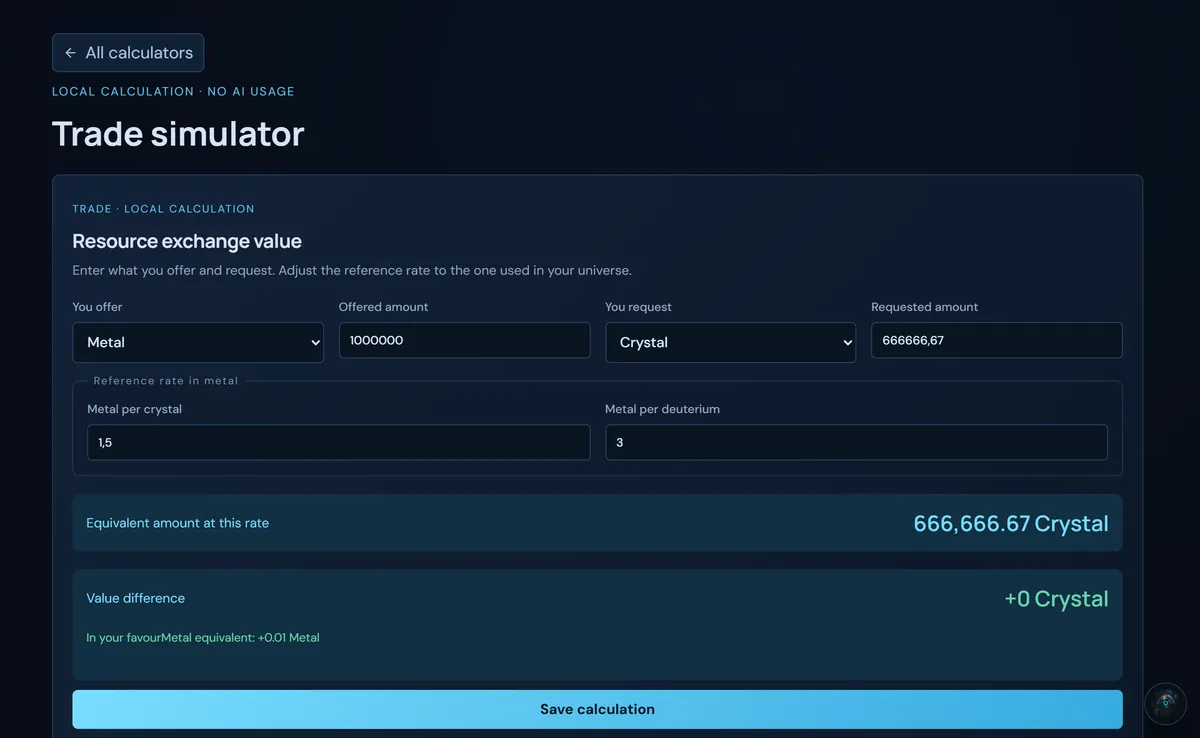
It gives the equivalent amount at this rate and the value difference (in your favour, against you or even) in the requested resource and in metal. Save calculation moves it to your plans.
Calculations only available in the chat
These have no card of their own: you ask the assistant, which uses the same deterministic formulas (see What to ask the AI):
- Cargo: how many ships you need for some resources.
- Recyclers for a debris field, with the ones you have saved.
- Payback of a mine level.
- Catching an enemy fleet on its return.
- Combat with ACS allies, loot and balance.
Those answers do use energy, because they go through the chat.
Screenshots show the English interface with sample data; player names are fictitious.